
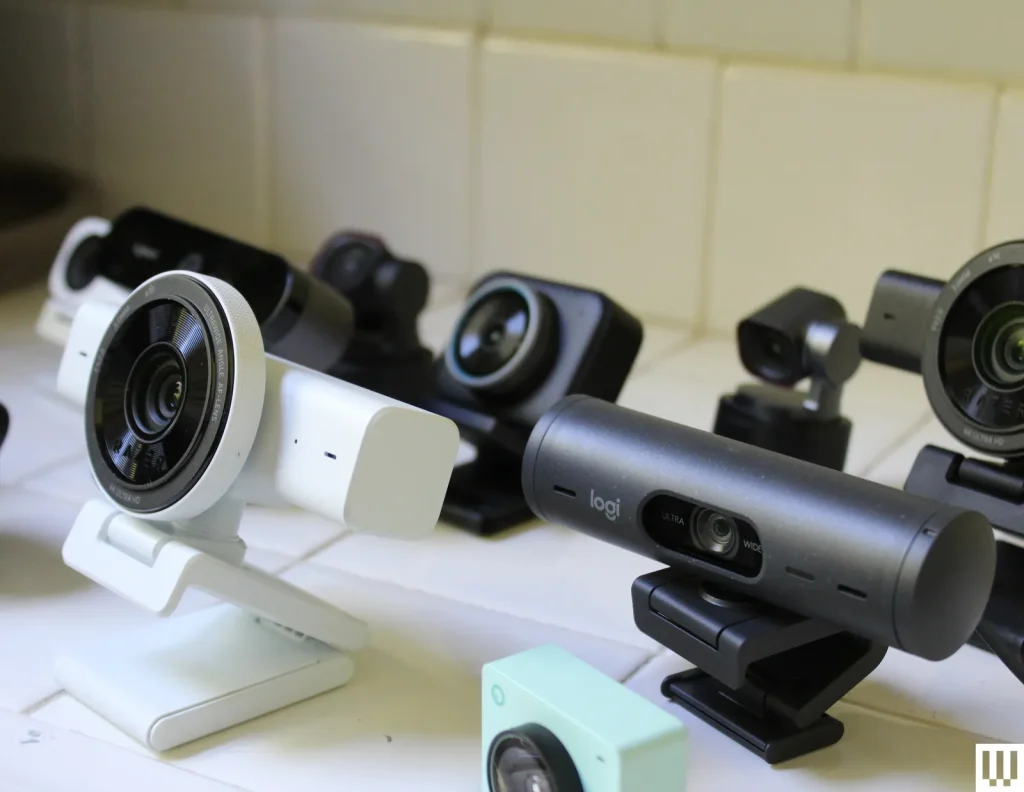
Buying a webcam becomes confusing when every product page treats more features as automatically better. The useful starting point is simpler: decide how the device will serve video meetings, online teaching, streaming, remote interviews, and content creation, then compare only the specifications that affect those jobs. Price still matters, but so do comfort, support, compatibility, and the cost of owning the product for several years. Shoppers who want more background can consult general technology guidance, but the final decision should stay tied to real usage rather than hype.
Five Webcam Brands for Different Setups
A practical comparison begins with resolution, frame rate, low-light quality, autofocus, microphone need, mounting, and software controls. Those factors create a much clearer shortlist than sorting by the newest model or the biggest headline number. The five companies or buying channels below represent different approaches to the category. They are not ranked from best to worst; use them as reference points for matching features, support, and ownership tradeoffs to your own priorities.
1. Logitech
Logitech offers webcams from basic meeting models to higher-resolution creator options. It is a useful baseline because the lineup covers common needs such as autofocus, framing, and desktop mounting without requiring a complex camera setup.
2. Dell
Dell sells business and high-resolution webcams aimed at professional video calls. Buyers who already use Dell monitors or docks may appreciate ecosystem consistency, but image quality still depends heavily on room lighting and camera position.
3. Razer
Razer webcams target streamers and gamers with higher frame-rate and low-light features on selected models. They can be a fit when live content is a priority, though a better light may improve your image more than buying a more expensive camera.
4. Elgato
Elgato focuses on content creation and streaming gear, including webcams designed to work alongside lights, capture devices, and creator software. It suits users building a more controlled desk studio rather than a simple plug-and-play meeting setup.
5. Insta360
Insta360 offers webcams with smart framing and tracking features on certain products. Those features can be useful for presenters who move, but fixed-position office users may prefer a simpler camera and invest in lighting or audio instead.
Lighting and Position Matter as Much as Resolution
Before paying, write down the three tasks the webcam must handle well and the two frustrations you most want to avoid. That simple list keeps optional extras from becoming false requirements. Use video-call setup resources as supplementary reading, then verify the exact model, warranty, compatibility, and return terms with the seller or manufacturer before checkout. If two options meet the same core need, prefer the one that is easier to own: simpler support, appropriate capacity, sensible accessories, and fewer compromises you will notice every day.
A second useful test is to compare the total setup rather than the product alone. Accessories, subscriptions, adapters, replacement parts, service plans, and future upgrades can change the real cost. Buying a slightly less ambitious device can be smarter if it avoids expensive add-ons or gives you a better fit for your routine.
Frequently Asked Questions
Do I need a 4K webcam for video calls?
Usually not. Many meeting platforms compress video, and a well-lit 1080p image can look excellent. 4K can help with cropping, content creation, or local recording, but good lighting, framing, and a clean lens often matter more for everyday meetings.
Why does my webcam look grainy?
Low light forces small webcam sensors to amplify the image, which creates noise and smearing. Place a soft light in front of you, avoid bright windows behind your head, and raise the camera closer to eye level before assuming the webcam itself is the problem.
Should I use the webcam microphone?
Built-in microphones are convenient for casual calls, but they are usually farther from your mouth than a headset or dedicated mic. If voice clarity matters, improving microphone placement can make a larger difference than upgrading video resolution.
Improve the Whole Video Setup
The strongest buying decision is the one you can explain in plain language: what problem the product solves, which features matter, and which features you deliberately ignored. Before upgrading the camera, fix the light and angle; those two changes often create the biggest visible improvement. If you want another perspective before spending, webcam setup guidance can support your comparison, but the last check should always be your own workload, budget, and tolerance for compromise.